


Turn Your WooCommerce Store
Into a Powerful Point of Sale

The WordPress POS plugin built for WooCommerce

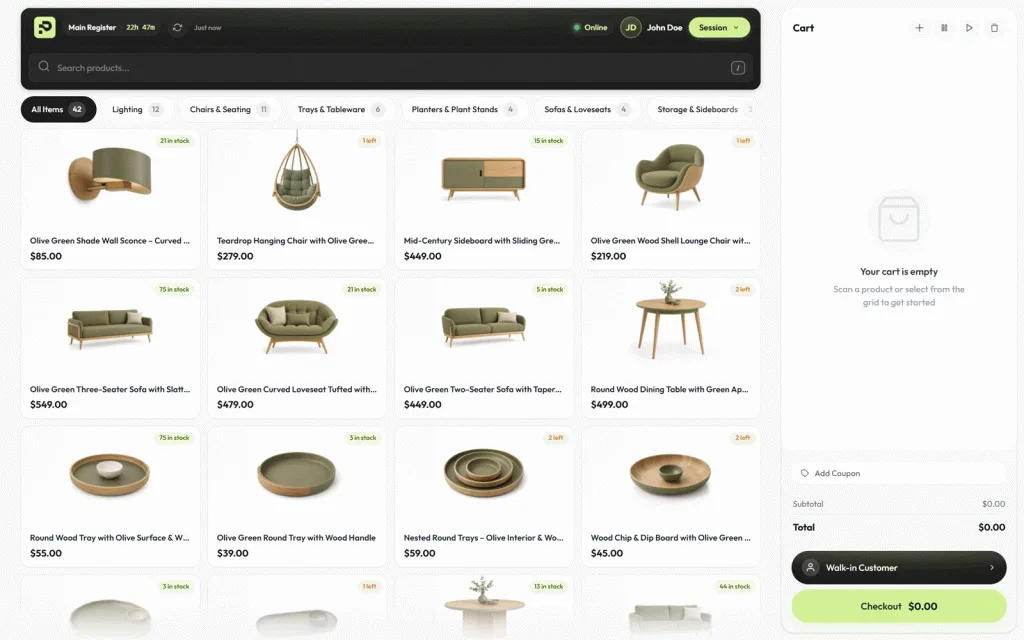
Most POS systems pull you away from WooCommerce — a separate app, a separate account, a separate database to reconcile. Posoria is a WooCommerce POS plugin that brings the point of sale inside it. Sell in person, manage inventory, take payments, and print receipts from the WordPress dashboard you already run. Every sale becomes a real WooCommerce order. No subscriptions, no extra hardware, no data leaving your server.

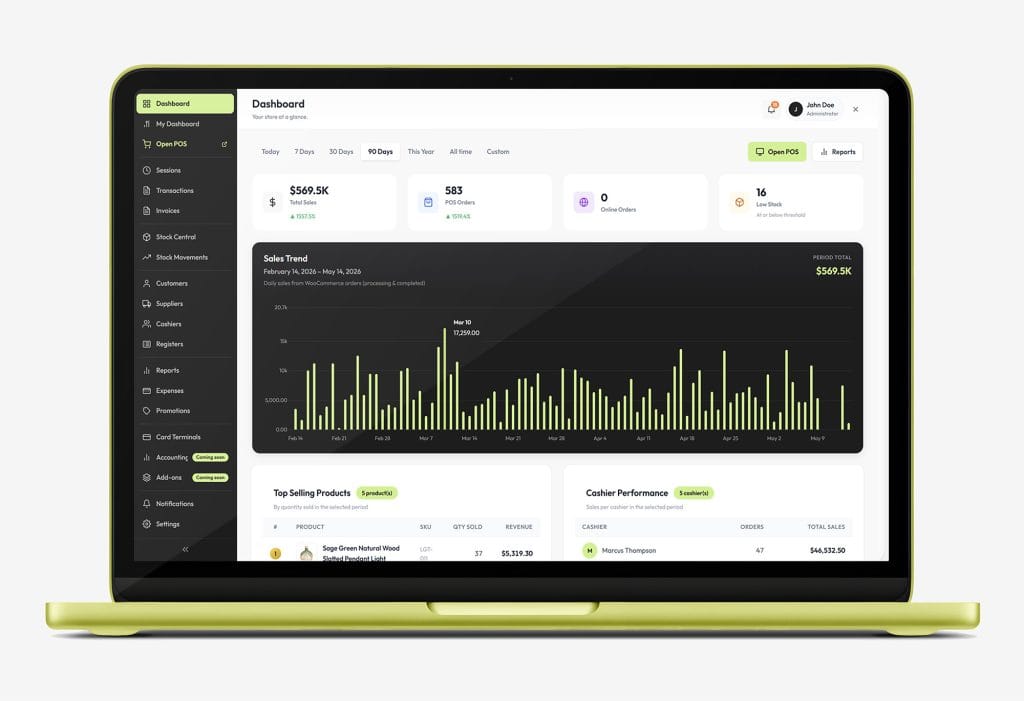
Run the Whole Store From One Dashboard

The Most Complete
WooCommerce POS Dashboard

Built for the Counter

The WooCommerce POS Features That Make the Difference

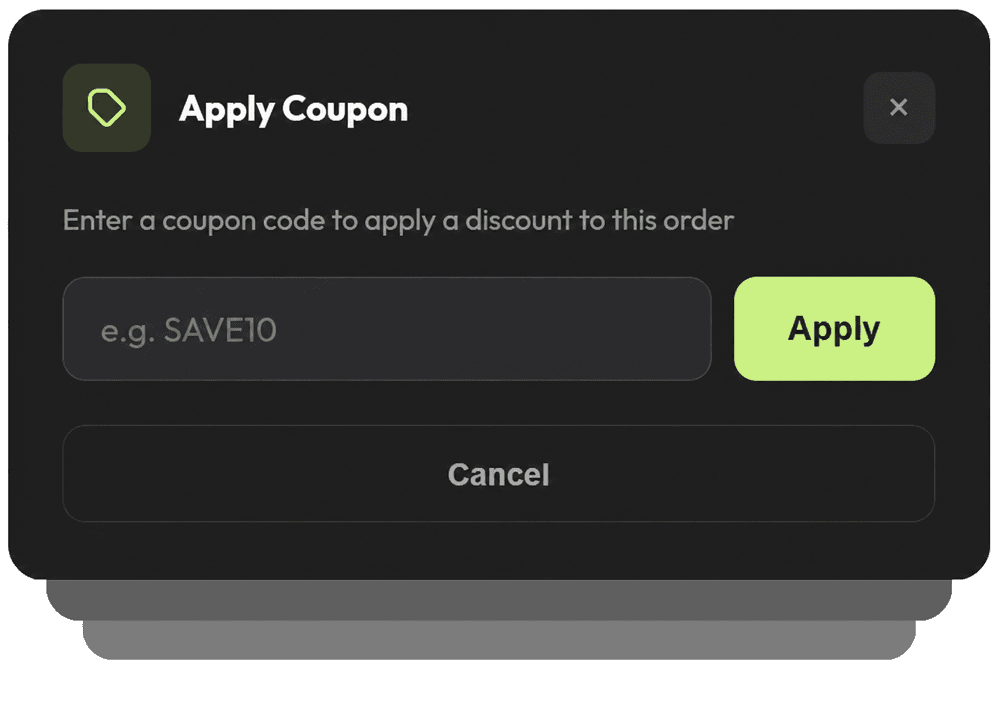
WooCommerce Coupon Support

Apply any existing WooCommerce coupon code directly at the point of sale — no workarounds, no manual discounts. Your promotions work exactly the same in-store as they do online.

Customer Management at Checkout

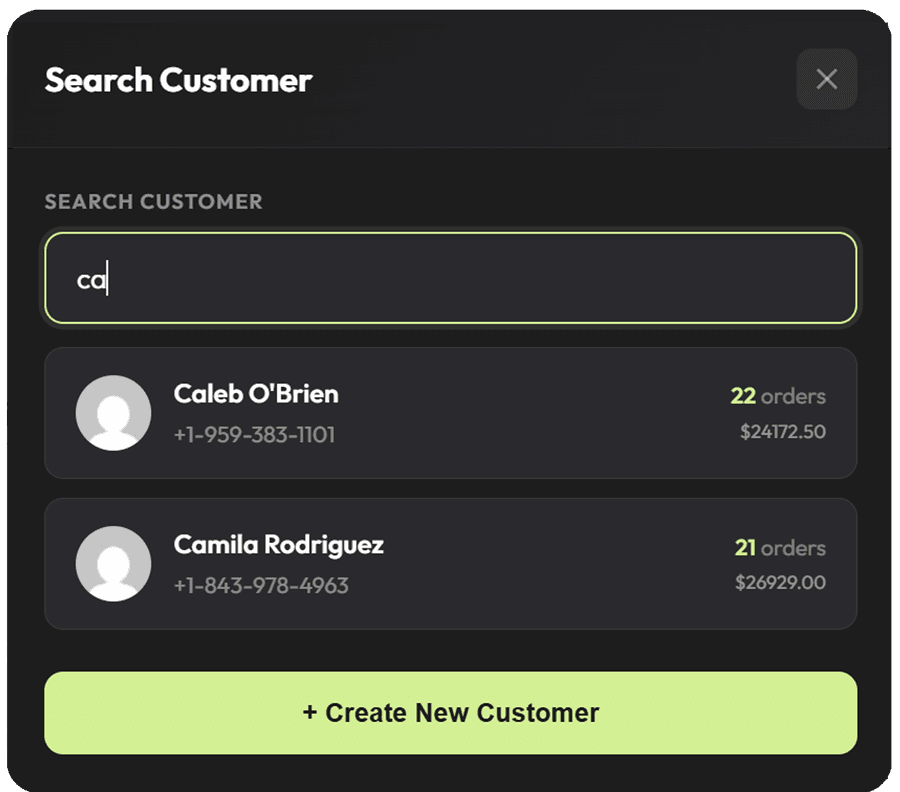
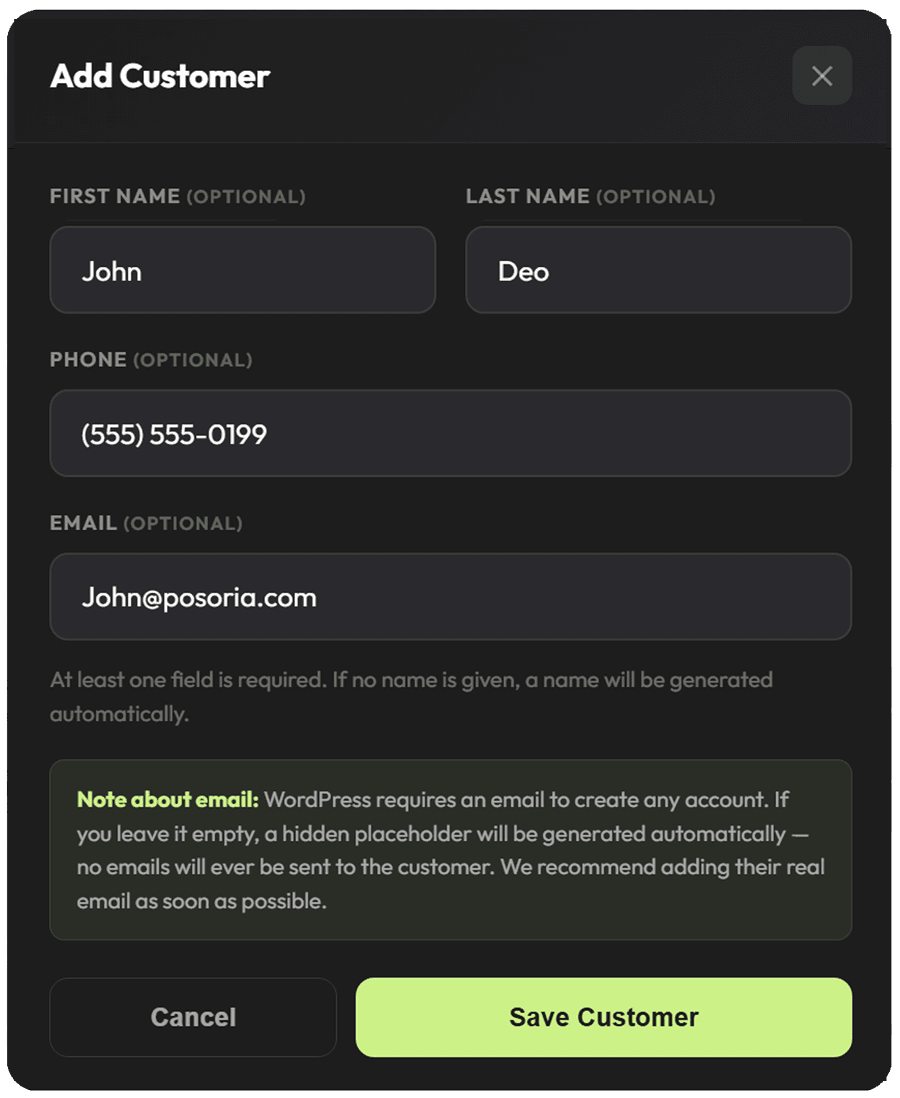
Search your existing customer database instantly or create a new customer on the spot — right from the cart. Every sale is linked to a real customer profile synced with WooCommerce.
Multiple Payment Methods, One Checkout

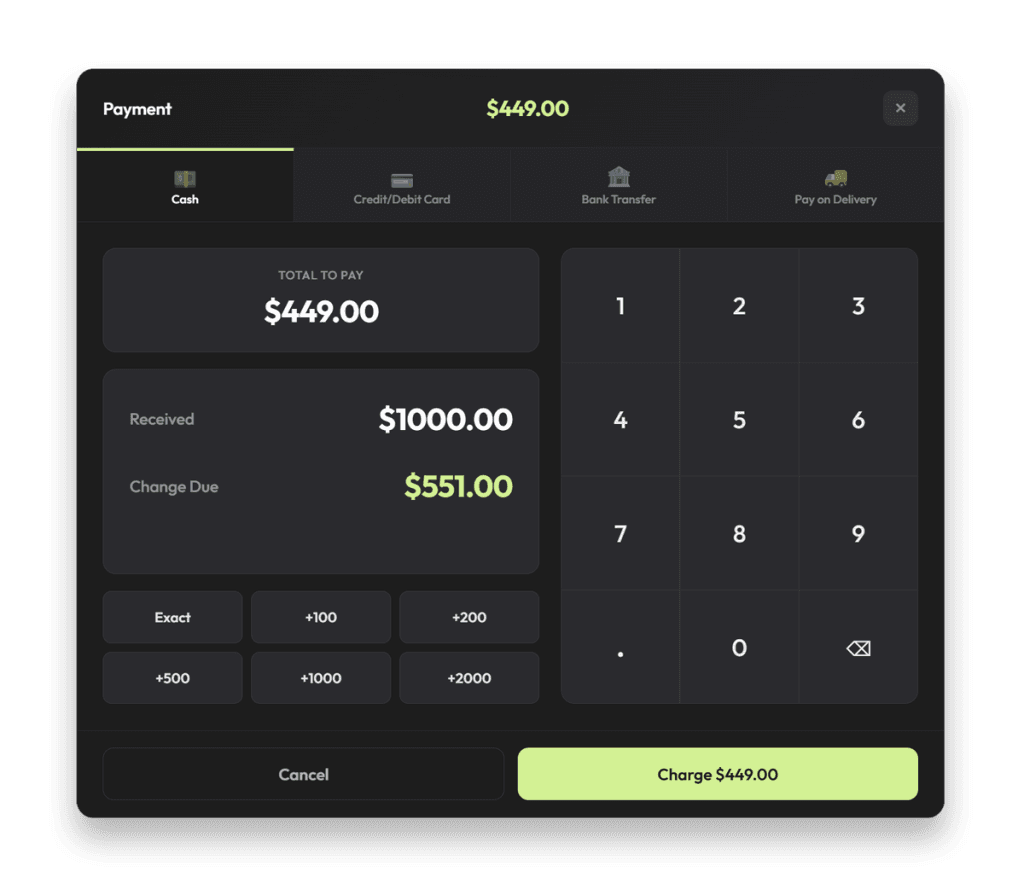
Accept cash with automatic change calculation, credit and debit cards, bank transfers, or pay on delivery — all from the same payment screen.

Instant Receipts, Print or Download

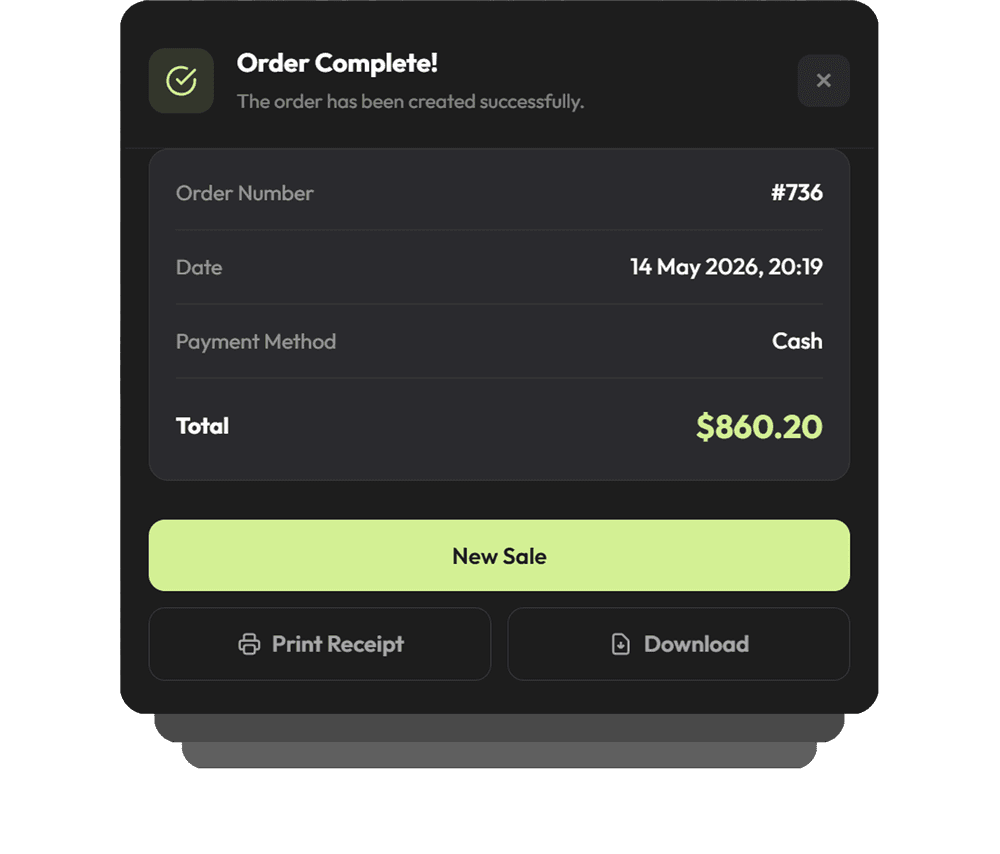
The moment an order is complete, Posoria gives your cashier a full order summary with the option to print a physical receipt or download it instantly — no extra steps, no delays.

Simple, Transparent Pricing

One Plugin. One Price. Everything Included.

No hidden fees, no monthly subscription, no feature gating. Every Posoria Pro plan includes the full WooCommerce POS feature set, starting at $89/year with a 14-day money-back guarantee.

Starter
$89
1 Site License / year Billed annually

Perfect for single store owners

Get Started
  • 1 site license
  • All Posoria Pro features
  • Unlimited cashiers & registers
  • All payment methods
  • Inventory, reports & invoicing
  • 1 year of updates
  • Email support
Business
$149
3 Sites License / year Billed annually

For stores managing multiple locations or websites

Get Business Plan
  • 3 site licenses
  • All Posoria Pro features
  • Everything in Starter
  • All payment methods
  • Unlimited cashiers & registers
  • 1 year of updates
  • Priority support
Agency
$219
5 Site License / year Billed annually

For developers and agencies building client stores.

Get Agency Plan
  • 5 site licenses
  • All Posoria Pro features
  • Everything in Business
  • 1 year of updates
  • Priority support
  • Priority custom features requests

🔒 14-day money back guarantee

⚡ Got Questions?

Everything You Need to Know About Posoria

Every question answered before you buy.

1. What is Posoria and what does it do?
Posoria is a WordPress POS plugin that adds a full point of sale system to any WooCommerce store. Once installed, you can sell in-person at a counter, manage inventory, handle cashiers and registers, process payments, create invoices, track expenses, and run detailed reports — all without leaving your WordPress dashboard.
2. What do I need to run Posoria?
You need a WordPress website with WooCommerce installed. No special server, no extra software, no hardware required. Any laptop, desktop, tablet, or iPad running a modern browser is enough to get started.
3. Is my data stored on your servers?
No. Everything stays on your own WordPress server. Your sales, customer data, and inventory are never sent to or stored by us. You have complete ownership and control.
4. Does it work offline?
Yes. The POS screen continues to work even if your internet connection drops. You can keep serving customers and processing sales without interruption. Everything syncs back to WooCommerce automatically once the connection is restored.
5. Does it sync inventory with my online store automatically?
Yes. Every in-person sale instantly updates your WooCommerce stock. Whether a customer buys online or at the counter, your inventory is always accurate across both channels.
6. Can I use a barcode scanner?
Yes. Any USB or Bluetooth barcode scanner works out of the box. Scan a product barcode and it gets added to the cart instantly — no configuration needed.
7. What payment methods are supported?
Cash with automatic change calculation, credit and debit card, bank transfer, and pay on delivery — all built in with no extra plugins. Split payments are also supported, allowing a customer to pay part cash and part card in a single transaction.
8. Can I connect a physical card terminal?
Yes. Posoria integrates with Stripe Terminal and Square hardware for tap, chip, and contactless card payments directly from the POS screen.
9. Can I apply WooCommerce coupons at the counter?
Yes. Any coupon created in WooCommerce can be applied directly at the Posoria checkout — no workarounds or manual discounts needed.
10. Does it support shift management?
Yes. Full shift session management is included — opening float, X Reports during the shift, and Z Reports at shift close for daily cash reconciliation.
11. Can I print or download receipts?
Yes. At the end of every sale you can print a physical receipt or download it as a PDF. Your store name, logo, and contact details can be customized from the settings.
12. Can I attach a customer to a sale?
Yes. You can search your existing WooCommerce customer database or create a new customer directly from the cart screen. Every sale is linked to the customer profile automatically.
13. Where do completed orders go?
Every order placed through Posoria appears in your WooCommerce orders list just like any online order — with full order details, payment method, and customer information.
14. What reports are included?
Total sales, POS orders, top-selling products, cashier performance, stock movements, expense tracking, and shift summaries — all updated in real time from your dashboard.
15. Will it conflict with my existing WordPress plugins or theme?
Posoria is built following WordPress and WooCommerce coding standards. Conflicts are rare but if you experience one our support team will investigate and resolve it as part of your subscription.
Cart (0 items)

Create your account